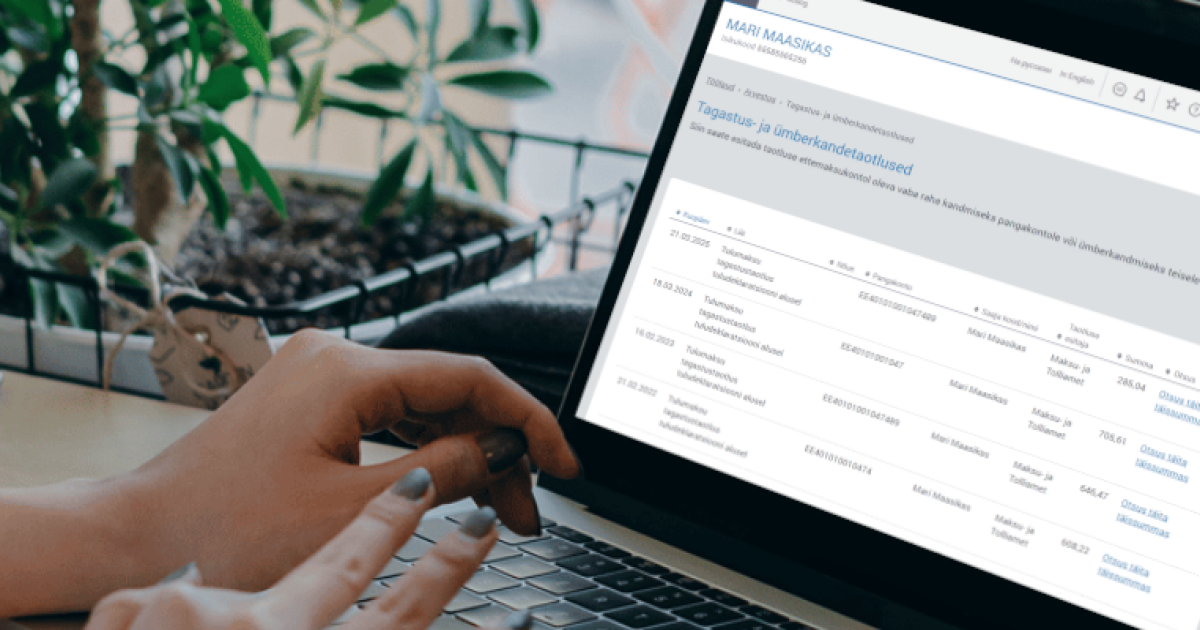
Changes to the procedure for submitting refund and transfer applications from 30 November 2026
From 30 November 2026, the procedure for submitting refund and transfer applications via the e-MTA e-services environment will change. From then on, you will only be able to request a refund or transfer of funds from your prepayment account to the accounts of persons you have previously added to the list of recipients of refunds and transfers. When submitting an application, you must select the recipient from the list you have previously created. You will no longer be able to enter the recipient’s details manually on the application form.
You can start compiling the list of refund and transfer recipients from 12 November 2026. To ensure that the submission of refund and transfer applications runs smoothly after the change comes into effect, we recommend adding the relevant recipients and their bank account details to the list before 30 November 2026.
Submitting an application for refund and transfer
Actions to take before the change comes into effect (30 November 2026)
To ensure that the submission of refund and transfer applications runs smoothly after the change on 30 November 2026, we recommend that you take the following steps now:
- Add your details (name and bank account number) to the list of refund and transfer recipients.
Also add to the list of recipients the details (name, bank account number, and personal identification code or registry code) of persons to whose accounts you wish to refund or transfer money in the future
NB! You can add recipients of refunds and transfers to the list in the e-MTA from 12 November 2026.
Useful information for compiling the list of refund and transfer recipients
- The form and list for adding recipients of refunds and transfers are available in the e-MTA e-services environment. After signing in, select Accounting – Applications for refund and rewriting – Refund and transfer recipients.
- The Tax and Customs Board automatically adds the following to the list of refund and transfer recipients:
- your bank accounts to which you have applied for refunds in the last ten months, and
- any other bank accounts to which you apply for refunds between 12 November and 30 November 2026 (if these are not already on the list).
- Please check the accuracy of the details of the persons on the list of recipients and add the necessary information or delete any unnecessary details.
- Once the change has taken effect, the details of recipients and their bank accounts can no longer be entered manually on the application form. If the intended recipient is not on the list of refund and transfer recipients, they must be added to it in order to submit the application.
Submitting an application for refund or transfer
- To submit a refund or transfer application in the Tax and Customs Board’s e-services environment:
- Sign in to the e-services environment e-MTA.
- Select the represented person on whose behalf you wish to submit the application.
- From the menu, select Accounting – Refund and transfer of funds – Applications for refund and rewriting.
- Click on “New application”.
- If you wish to have money refunded to a bank account, select Refund to bank account – Refund of available money.
If you wish to transfer money to another prepayment account, select Transfer to another prepayment account – Transfer of available money. - Enter the required details on the application form that opens.
- Click on “Confirm application”.
- Check the details and select your method of signing (ID card, Mobile-ID, or Smart-ID).
Sign the application using your PIN2.
NB! You cannot submit a refund or transfer application if you have failed to submit any tax returns in the current year and the two preceding years.
- You can also submit the application at a service bureau of the Tax and Customs Board or email a digitally signed free-form application to [email protected].
- All refund and transfer applications are checked automatically. If there is enough money available in the prepayment account, an automatic decision regarding the refund or transfer is prepared and confirmed.
- Once a positive decision has been confirmed, the money will be refunded from the prepayment account to the bank account specified in the application within three working days.
- Money will be transferred to another prepayment account immediately after a positive decision has been confirmed.
- When refunding money to a bank account or transferring it, the amount is set off against any financial obligations payable.
- If an enforcement agent has seized the applicant’s funds, the Tax and Customs Board is required to withhold the seized amount and transfer it to the enforcement agent. Pursuant to subsection 4 of § 34 of the Taxation Act, the applicant’s outstanding financial obligations are deducted from the seized amount before it is transferred to the enforcement agent.
Last updated: 17.11.2026